Electrical switching software
Switching instructions.
Generated automatically.
Pick the work on your single-line diagram. Switcharoo drafts the switching sequence, checks it against the network, and hands you a review-ready document.
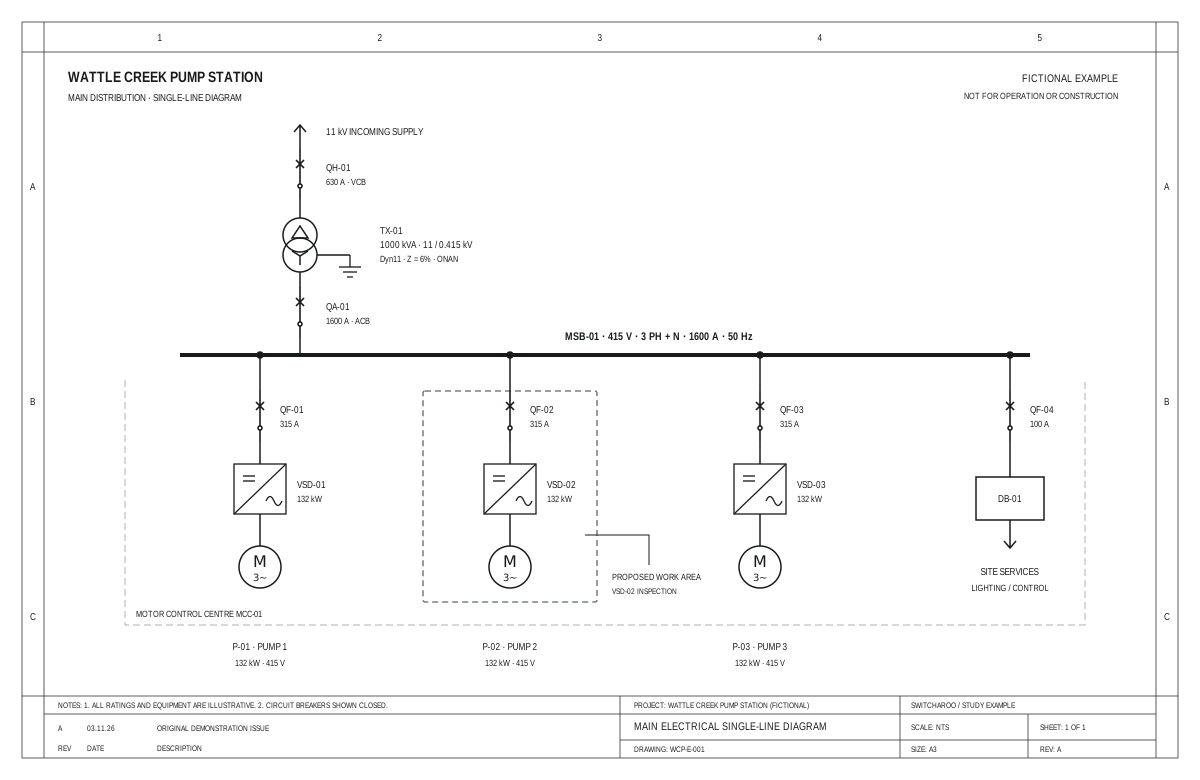
Watch a switching plan take shape
The real workbench running a scripted example — from picking the equipment to a preview you can export.
From any drawing to the field
Everything you need between the single-line diagram and the switchroom door.
-
Works with any SLD
PDF, DWG, SVG — bring the drawings you already use. Equipment and connectivity are recognised on upload.
-
Generated & validated
Switching instructions drafted automatically, with every step validated against the electrical network.
-
Export to your formats
Excel, Word and more — hand over instructions in the formats your crews already work with.
Prefer hands-on? Plan it yourself.
Switcharoo isn't a black box. Open the drawing, change equipment states, and watch supply propagate live — then develop your own sequence.
- Change equipment statesOpen, close, rack out, earth.
- See supply changesLive energisation on the drawing.
- Develop your instructionsBuild the sequence step by step.
Ready when you are.
Draft instructions always require engineering review and site approval — Switcharoo just gets you there faster.
Request a demo